
When launching a business, the logo often comes last on the list, after the legal status, bank account, and website. The result: a hastily cobbled-together visual that works neither on a business card nor as a favicon. Creating a professional logo actually takes less time than one might think, provided that a few technical constraints are followed from the start.
Technical Constraints Before Drawing a Single Line
Before choosing a color or a font, we address the issue of readability in degraded contexts. A logo seen on a Retina screen at full brightness is nothing like the same logo printed in black and white on an invoice or displayed in dark mode on a smartphone.
Testing the logo in grayscale remains the most reliable check. If the shapes are no longer distinguishable without color, the design relies too heavily on chromatic contrast. Recommendations related to accessible brand identity emphasize this point: the logo must remain recognizable without color.
Since June 28, 2025, the European Accessibility Act imposes accessibility requirements on public-facing private services (e-commerce, banking, transport, telecommunications). The logo is exempt from contrast requirements, but the brand colors used in buttons, links, and interface texts must comply with accessibility standards.
Choosing a color that is too saturated red or too light yellow for your logo can potentially lead to non-compliant interface elements as soon as that color is applied to a website.
In practice, you open the logo file in any image editor, switch to grayscale, and check that the symbol, text, and separations remain clear. You can also utilize the generators and tools available on maisonlogo.fr to start from a clean base and quickly test several variations.

Choosing Colors and Shapes for a Business Logo
Limiting the palette to two or three colors is common advice. The reason is primarily technical: each additional color complicates production and adaptation across different media.
Why Limit Your Color Palette
Each additional color multiplies the usage cases to verify: white background, dark background, four-color printing, embroidery on textiles, engraving. A five-color logo is more expensive to produce in screen printing and loses readability in small formats.
- Two colors are sufficient for most SME and artisan logos, with a monochrome version planned from the outset.
- The colors should work in contrasting pairs: if you overlay the text on the symbol, readability remains smooth.
- Planning for an “inverted” version (dark background, light logo) avoids having to redraw the logo when creating dark marketing materials.
Geometric Shapes or Lettering Alone
A monogram (stylized initials) is suitable when the business name is long or difficult to remember visually. A graphic symbol works better for brands aiming for recognition without text, for example on a mobile app or a physical product.
Feedback varies on this point: some entrepreneurs prefer a clean typographic logo, while others find that a pictogram enhances memorization. The most reliable approach is to create both versions and test them on real media (email header, social media profile, signage).
File Formats and Variations of the Logo
You have a visual that holds up in color and grayscale. The next step is often rushed: exporting in the correct formats.
A logo delivered only in JPEG is useless for professional use. JPEG compresses data, generates artifacts around text, and does not handle transparency. For a logo, you need at least three formats:
- SVG (vector): resizable without loss, ideal for web and large format printing.
- PNG with transparent background: for presentations, Word documents, email signatures.
- PDF vector: for the printer, who can integrate it directly into the layout without loss of quality.
On online creation tools, check that vector export is available. Some free generators only offer low-resolution PNG, which forces you to redo the work if you want to print on large format media.
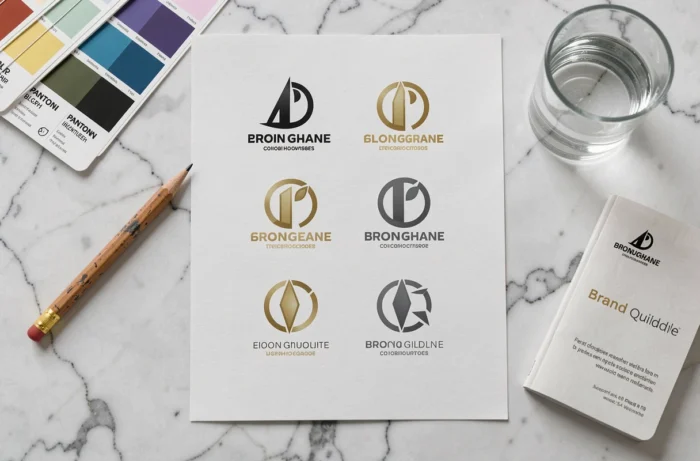
Protecting Your Logo with a Figurative Trademark Registration
Creating a logo is not enough to protect it. In France, a logo can be registered as a figurative trademark with the INPI. For protection at the European level, registration is done with the EUIPO.
The registration must be done before any wide public dissemination. Publishing your logo on social media or printing it on commercial materials without having registered it exposes you to a concrete risk: a third party could register a similar logo and claim prior use in certain classes of products or services.
What the Registration Covers
The registration protects the specific graphic combination (shapes, arrangement, stylized typography), not the colors taken in isolation or an abstract concept. Significantly modifying the logo after registration requires a new registration for the protection to remain valid.
Before registering, a prior art search should be conducted to verify that a similar logo does not already exist in the same classes. The INPI offers a search service, and specialized intellectual property firms can conduct a more thorough check.
A well-designed logo, tested in its real display contexts and legally protected from the outset, remains a modest investment compared to the cost of a complete redesign after several months of use.